AppLimiter

Privacy Policy & Support

Last updated: 12 September 2026

Support

Need help, have a question, or ran into a bug in AppLimiter? Email us and we'll get back to you.

Email pawel@garbarz.eu

Common topics we can help with: setting up limits, restoring a purchase, reporting a bug, general feedback, or privacy requests (see below).

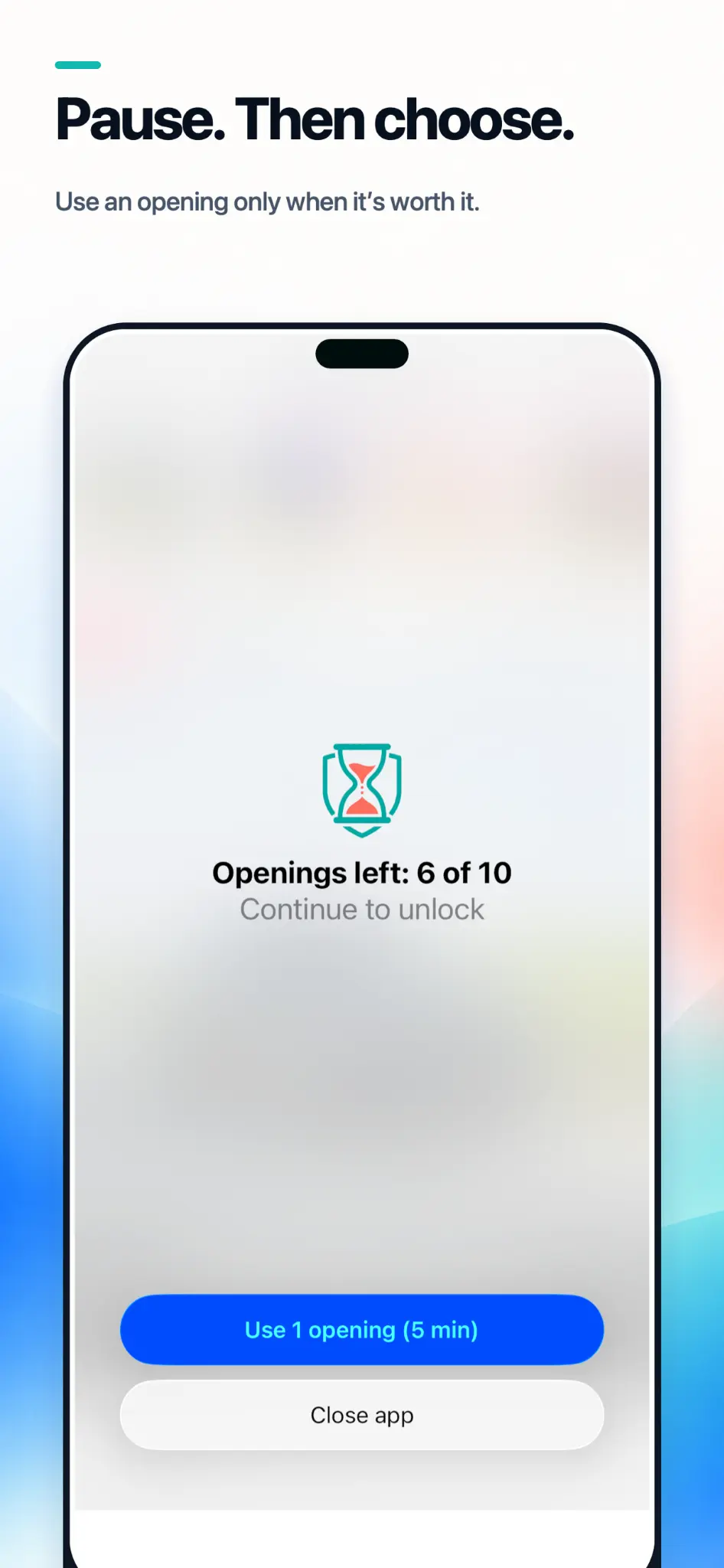
Why does the AppLimiter screen appear every time, even when I have openings left?

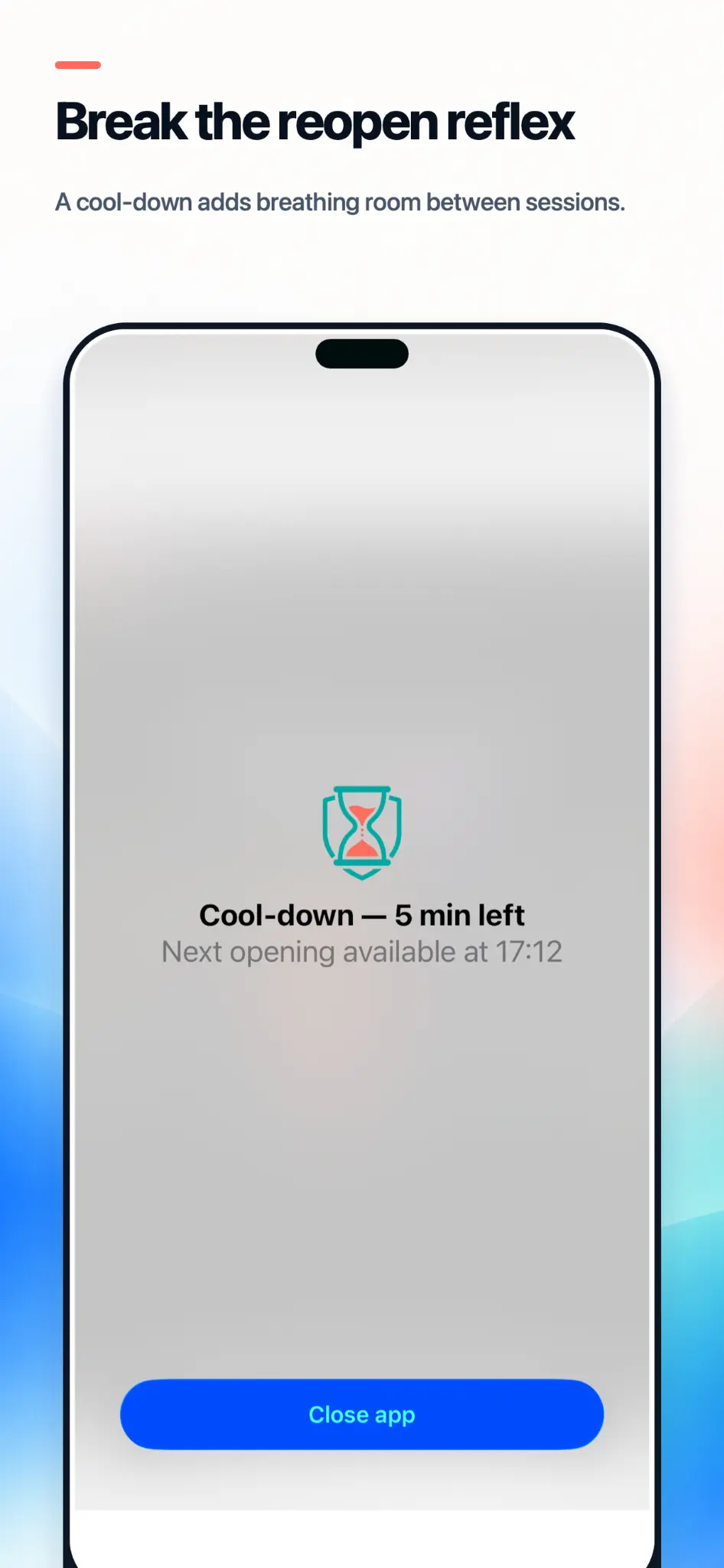
That screen is how openings get counted. iOS gives apps no way to detect that you launched something, so AppLimiter sits in front of your limited apps and counts each time you pass through. It also shows what you have left before you spend it, which is the moment where changing your mind is still easy.

I ran out of openings but I really need the app

On the block screen, choose Request exception. AppLimiter sends you a notification — tap it, because iOS app extensions cannot open apps directly. Then type the confirmation sentence. This spends one emergency pass and grants a single extra opening.

Do my limits still work if I force-quit AppLimiter?

Yes. Limits are enforced by iOS itself, not by AppLimiter running in the background. Deleting the app does remove them, along with all your settings and history.

An app I limited isn't being blocked

Check that it isn't on your Always allowed list, that the rule isn't paused, and that Screen Time permission is still granted — if it was revoked, a banner appears at the top of the app. If you limited a whole category, apps Apple classifies differently than you'd expect may not be included; add those individually.

When do my openings reset?

At the start of your day, which defaults to midnight. If you're often up past it, move the boundary to 4am in Settings so a late night doesn't eat into the next day's budget.

Does it work on iPad or Mac?

Not yet. AppLimiter is iPhone only, on iOS 16 or later. Limits apply to the device they're set on and don't sync between devices.

App Privacy Summary

In short: AppLimiter collects nothing. There are no ads, no third-party analytics SDK, and no servers. Your limits, your history, and the identity of the apps you restrict never leave your iPhone.

Data typeCollectedNotes
Screen Time / device usage data No Displayed inside a sandboxed view provided by iOS. The app cannot read, store, or transmit these figures
The apps you choose to limit No Received from iOS as anonymous tokens carrying no name or identifier — unreadable even by us
Your limits, schedules and history No Stored only in the app's private container on your device
Advertising identifier (IDFA) No No ad SDK is integrated — never accessed
Analytics / usage events No No analytics SDK is integrated
Crash / diagnostic data No No crash-reporting SDK is integrated
Purchase history Handled by Apple Processed by Apple StoreKit; we only read a local entitlement flag on your device
Name, email, phone, location, contacts, photos, health, financial info, browsing history, messages No Never requested, never accessible, never collected

See the full Privacy Policy below for details on legal bases, your rights, and how to contact us about your data.

Full Privacy Policy

This Privacy Policy describes how Paweł Garbarz ("we", "us", "our", the "Developer") collects, uses, and shares information when you use the mobile application AppLimiter (the "App") on iOS.

By downloading or using the App, you agree to the practices described in this Policy. If you do not agree, please do not use the App.

Contact: pawel@garbarz.eu
Data controller: Paweł Garbarz, Poland.

1. Summary

AppLimiter helps you limit how often you open distracting apps. It has no ads and no third-party analytics. We do not require an account and we do not ask for your name, email address, phone number, or location. The App makes no network connections of its own.

2. Information we collect

We collect no personal data. Everything the App stores stays in its private container on your device:

We do not collect: your name, email, phone number, precise or coarse location, contacts, photos, health data, financial account details, browsing history, messages, or your device's advertising identifier (IDFA). We use no advertising SDK and no analytics SDK.

3. Screen Time data and the apps you limit

AppLimiter is built on Apple's Screen Time frameworks (Family Controls, Managed Settings, and Device Activity). This has two consequences that are central to your privacy.

The apps you select are anonymous to us. When you choose apps or categories to limit, iOS hands the App opaque tokens rather than app names or bundle identifiers. AppLimiter therefore cannot determine which apps you selected. The tokens are meaningless outside your device and outside this specific installation, and they are never transmitted.

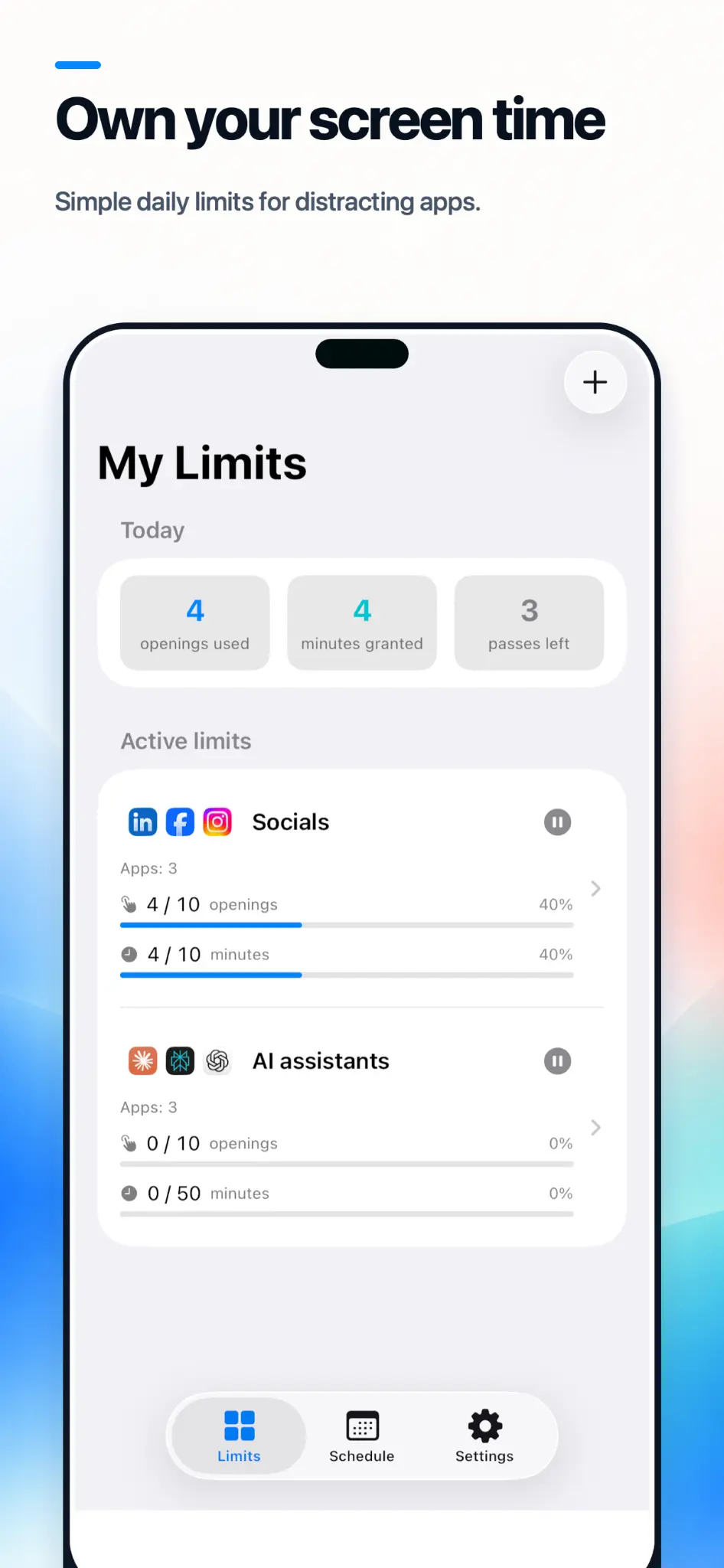
Your usage statistics are not readable by the App. Where device usage figures are displayed, they are rendered directly by iOS inside a sandboxed view. The App cannot read those values, cannot store them, and cannot transmit them. Any figures the App shows you elsewhere — such as openings used or minutes granted — are its own counters, generated on your device.

Screen Time permission is requested once during setup and is used for a single purpose: applying and removing limits on the apps you chose. You can revoke it at any time in the iOS Settings app, under Screen Time. All limits stop immediately when you do.

4. Notifications

If you allow notifications, they are generated and delivered locally on your device. No notification content passes through our systems or any third party, and we operate no push notification service.

5. Third-party services

The App integrates exactly one third-party service:

We do not control how Apple processes data once collected. Please review Apple's policy.

6. App Tracking Transparency (ATT)

Not applicable. The App uses no advertising or tracking SDK and does not access your device's advertising identifier (IDFA), so iOS will never show you an App Tracking Transparency prompt for this App.

7. How we use information and our legal bases (GDPR)

Where the EU General Data Protection Regulation (GDPR) applies, we rely on the following legal bases:

12. International transfers

Apple may process purchase data on servers outside your country as part of its own global infrastructure. We do not otherwise transfer data internationally, since we operate no servers and use no advertising or analytics service.

13. Security

App data is stored in the App's private container and protected by standard iOS system protections, including file-level encryption when your device is locked. The App makes no network connections of its own. No method of transmission or storage is completely secure, and we cannot guarantee absolute security.

14. Changes to this Policy

We may update this Policy from time to time. Material changes will be reflected by updating the "Last updated" date above and, where appropriate, by an in-app notice. Continued use of the App after changes take effect constitutes acceptance.

15. Contact

Questions or requests regarding this Policy:

Paweł Garbarz
Email: pawel@garbarz.eu
Address: Poland